

About this app
<p>Turn your photos into anime, cartoon and hand-drawn art in seconds. Photo Cartoonizer runs entirely on your iPhone and iPad, so your pictures never leave your device. No account, no uploads, no waiting in a queue.</p>
<p>Pick a photo, tap a style, and watch it change. Every style shows a live preview made from your own picture, so you know exactly what you will get before you choose.</p>
<p>13 ART STYLES<br />
AI anime and cartoon styles:<br />
- Warm: dreamy, sunlit colors with a soft painted feel<br />
- Celeste: elegant anime portrait style<br />
- Hosoda: soft watercolor anime look<br />
- Vivid: bold face paint anime<br />
- Paprika: bright cartoon colors<br />
- Shinkai: cinematic skies and warm light<br />
- Hayao: rich watercolor anime<br />
- Whitebox: clean, sketch-like cartoon</p>
<p>Classic art styles:<br />
- Sketch: pencil drawing on paper<br />
- Comic: ink lines and halftone dots<br />
- Pop Art: flat, loud poster colors<br />
- Oil Paint: thick painted brush strokes<br />
- Watercolor: soft washes and paper grain</p>
<p>MAKE IT YOURS<br />
Open the Adjust panel and fine-tune the result without starting over:<br />
- Style Strength: blend the effect with your original photo<br />
- Saturation, Brightness and Warmth<br />
- Brush Size: bolder, flatter, more painterly shapes (Pro)<br />
- Ink Outlines: a crisp hand-drawn finish (Pro)<br />
- Keep Original Colors: the art style with your real colors (Pro)<br />
- Person or Background: style only the person, or only what is behind them (Pro)<br />
- Protect Faces: keep portraits natural (Pro)</p>
<p>On iPad and in landscape on iPhone, the Adjust panel sits beside your photo, so you see every change as you make it. Brush Size runs the style again; everything else updates instantly.</p>
<p>GREAT FOR<br />
- Anime avatars and profile pictures<br />
- Cartoon selfies and couple portraits<br />
- Pet portraits and family photos as wall art<br />
- Pencil sketches and comic panels from travel photos<br />
- Thumbnails, stickers and posts for social media<br />
- Gifts, cards and prints<br />
- Turning old family photos into storybook illustrations</p>
<p>PRIVATE BY DESIGN<br />
Most cartoon and anime apps send your face to a server. Photo Cartoonizer does not. All processing happens on the Neural Engine and GPU of your iPhone or iPad. It works offline, even in airplane mode, with no sign-up, no email and no tracking. Your photos stay yours.</p>
<p>FAST ON YOUR DEVICE<br />
The AI engine is tuned for Apple chips. A typical photo is ready in a few seconds, with no daily limits and no watermark.</p>
<p>FREE AND PRO<br />
Free:<br />
- 4 styles: Warm, Celeste, Hosoda and Sketch<br />
- Unlimited photos, no daily limits<br />
- Live previews of every style<br />
- Style Strength and color controls<br />
- Up to 2048 px, JPEG export</p>
<p>Pro unlocks:<br />
- All 13 styles, plus every style we add<br />
- Brush Size, Ink Outlines, Keep Original Colors, Person or Background, Protect Faces<br />
- Lossless PNG and TIFF export<br />
- 4K (4096 px) and unlimited resolution for large prints</p>
<p>Pro is available as a monthly or yearly subscription (the yearly plan includes a free trial) or a one-time lifetime purchase.</p>
<p>SAVE AND SHARE<br />
Save straight to Photos or share to any app. Flip between before and after with one tap, zoom in to check the details, and find every past result in History.</p>
<p>Subscription terms: payment is charged to your Apple Account at confirmation of purchase. Subscriptions renew automatically unless cancelled at least 24 hours before the end of the current period. Manage or cancel in your Apple Account settings.<br />
Terms of Use: https://www.apple.com/legal/internet-services/itunes/dev/stdeula/</p>
What stands out
Version updates
Version 2.0
Meet the biggest update yet. 5 new styles: Sketch, Comic, Pop Art, Oil Paint and Watercolor. That makes 13 looks to turn your photos into art. See before you choose. Every style now shows a live preview made from your own photo, right in the style picker. New Adjust panel. Fine-tune the result without starting over: - Style Strength to blend the effect with your original photo - Saturation, Brightness and Warmth controls - Brush Size for bolder, more painterly shapes (Pro) - Ink Outlines for a crisp, hand-drawn finish (Pro) - Keep Original Colors to add the style but keep your real colors (Pro) - Style only the person or only the background (Pro) - Protect Faces so portraits stay natural (Pro) A lighter app. The download is much smaller with the same quality. Sharper results. Warm no longer leaves a dark strip at the bottom of the photo, and Warm and Celeste now line up with your original. Ready for iOS 27. Everything still runs on your iPhone or iPad. Your photos never leave your device.
9 月 28, 2026 · Apple App Store · iOS · View sourceVersion 1.0
The store did not provide release notes.
5 月 3, 2026 · Apple App Store · iOS · View sourceYou may also like
Recommendations use shared purpose, platform availability and rating confidence.
 AI Avatar - Photo GeneratorSimilar purpose: AI Art. Strong cross-platform rating confidence.
 Background Remover, AI EraserSimilar purpose: Photo & Video
 OpenVidu - AI Video GeneratorSimilar purpose: AI Art
 AI Video & Reel GeneratorSimilar purpose: AI Art
 Background Remover, AI EraserSimilar purpose: Photo & Video
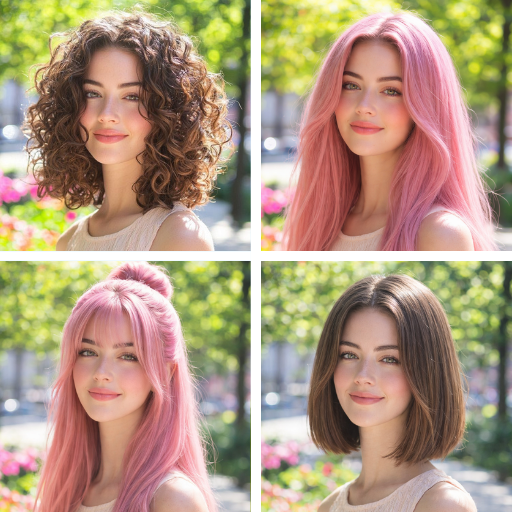 Tressy: AI Hairstyle Try OnSimilar purpose: AI Art
Popular comparisons
Compare features, pricing & platforms side by side.
Reviews
No reviews available yet.
Sign in to rate and review
Create a free account or sign in to leave a rating and review. Your name and email stay linked to your account.